

Ricoh Gen5 vs Gen5i Printheads: Identify the Exact Head Before Buying
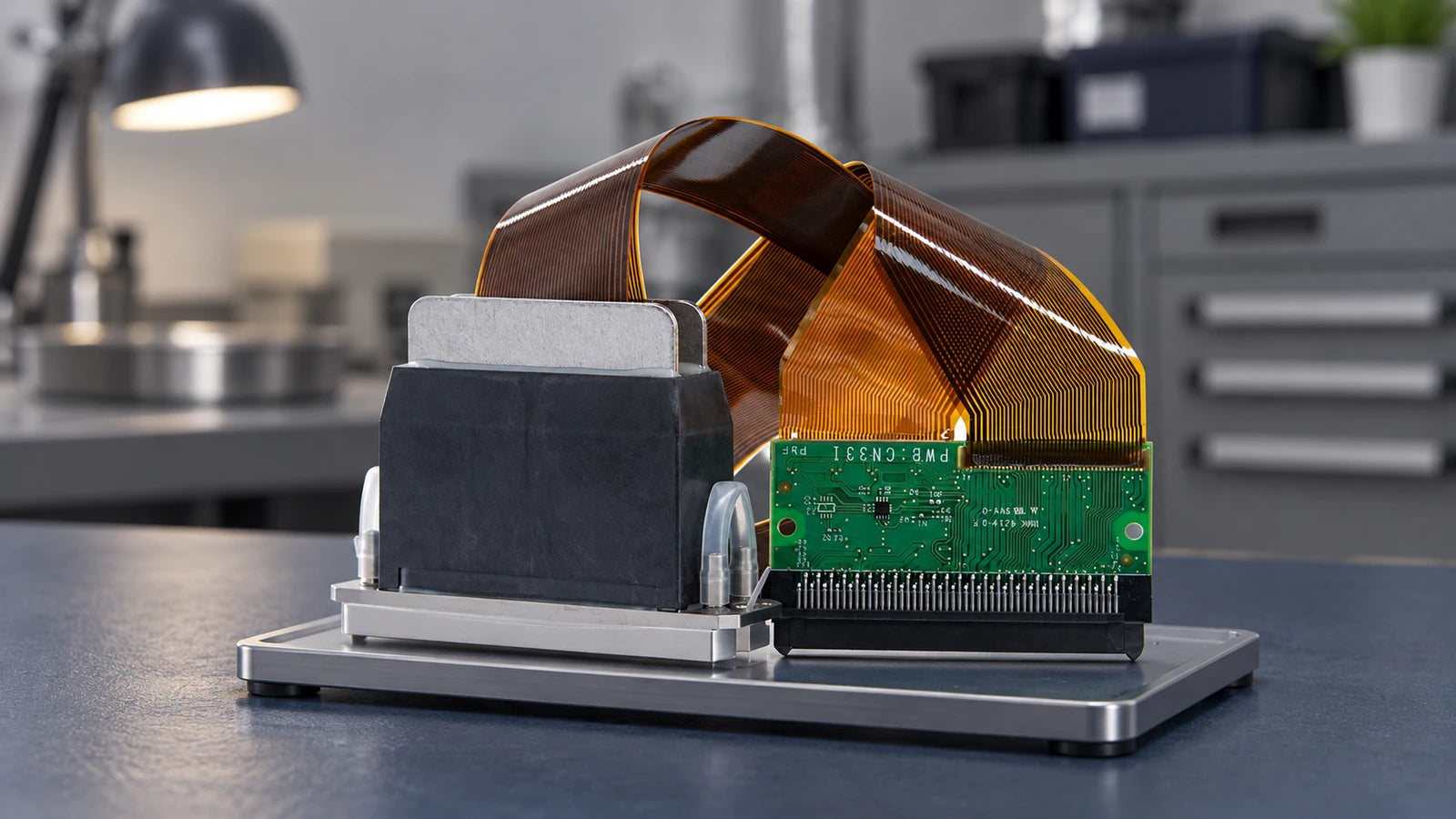
Do not order Ricoh Gen5 and Gen5i as interchangeable names. Start with the full head code and part number, then confirm the printer configuration. MH5420, MH5440, TH5241 and MH5421F are specific references; “Gen5,” “Gen5i” or “1,280 nozzles” alone cannot identify a replacement.
This guide is for owners and purchasing teams replacing an existing head. Its purpose is to help you distinguish the required model and prepare a clear inquiry, rather than choose a head by a claimed speed or resolution advantage.
What Information Do You Have?
The label says MH5420 or TH5241
Keep the full code, part number and suffix. Compare the replacement against that exact identity and your printer's parts documentation.
You were told “Gen5” or “Gen5i”
Ask for the installed-head label and machine reference before requesting a quote. Do not turn the nickname into an assumed manufacturer code.
The photo and description disagree
Pause payment. Request current photos of the actual supplied unit and a written model confirmation instead of choosing whichever description seems closer.
Two Heads Can Have 1,280 Nozzles and Still Be Different
Ricoh documents MH5420 / MH5440 and TH5241 separately. The following differences help identify the reference family; they are not a specification promise for an unconfirmed store item.
| Check | MH5420 | TH5241 |
|---|---|---|
| Nozzle count | 1,280 | 1,280 |
| Print width | 54.1 mm | 27.1 mm |
| Maximum ink colors | 2 | 4 |
| Temperature hardware | Heater and thermistor | Thermistor; no built-in heater |
MH5440 is the four-color model on Ricoh's MH5420 / MH5440 page. Do not transfer that color capability to MH5420 just because both appear under a shared heading. Likewise, the TH5241 data does not describe every listing named Gen5i.
Print width is the head's specified swath, not the printer's bed width. Nozzle count, advertised output dpi and a photograph are also insufficient to establish interchangeable mechanics, electronics or ink delivery.
Keep TH5241 Separate from MH5421F

Ricoh's MH5421F / MH5421MF documentation describes a recirculating family. It is a separate manufacturer reference from TH5241. A similar string of digits is not evidence that these heads use the same connections or can replace each other.
The photographed box also contains a part number and serial information. Keep those fields distinct: an order needs the specified part identity, while a serial identifies an individual unit. An old gallery photo is not proof that the same serial, packaging or configuration will be shipped.
For the Gen5 listing, the description uses the MH5420 reference. Still request the complete supplied part number and cable configuration; a single “RICOH Gen5” menu option does not document every version covered by that market name.
Confirm the Assembly, Electronics and Ink Setup Together
After identifying the code, have the printer supplier or qualified technician check the replacement against the actual machine. A connector that physically fits does not establish the correct electrical assignment or drive settings.
Full printer model and revision, installed head code, part number and suffix, plus any machine-specific assembly reference. Include clear label and all-side photos.
Head-board identity, connector faces, cable configuration and the approved drive requirements. Do not order an adapter or reuse settings simply because both names contain Gen5.
Exact ink series, approved maintenance fluid, port arrangement and whether the printer requires a recirculating head. Broad “UV” or “aqueous” wording does not approve a particular ink formulation.
Mounting structure, alignment method, clearances and included components. Confirm whether cables, manifold, fittings or other pictured pieces are part of the quoted item.
Keep the requested condition and supply identity in writing too. A compatibility reference or a brand-marked gallery image does not by itself establish origin, manufacturer authorization or the condition of the unit offered.
Compare the Delivered Item with the Confirmed Order

- Photograph the package, model label and visible condition on arrival.
- Match the full code and part number to the written confirmation, not only the invoice's family name.
- Compare the connector, cable, ports and mounting details without modifying or trial-fitting them.
- Contact the seller if anything differs; keep packaging and records until the discrepancy is resolved.
If replacement has not yet been diagnosed, read the clogged-or-damaged printhead guide as a starting checklist. A nozzle-test defect alone is not enough to choose either replacement head.
Review the Relevant Listings with the Full Code
These active listings are starting points for a model-confirmation inquiry. The photographs below are actual store images. The Gen5i identity discrepancy must be resolved before payment; neither card is a recommendation to swap head families.
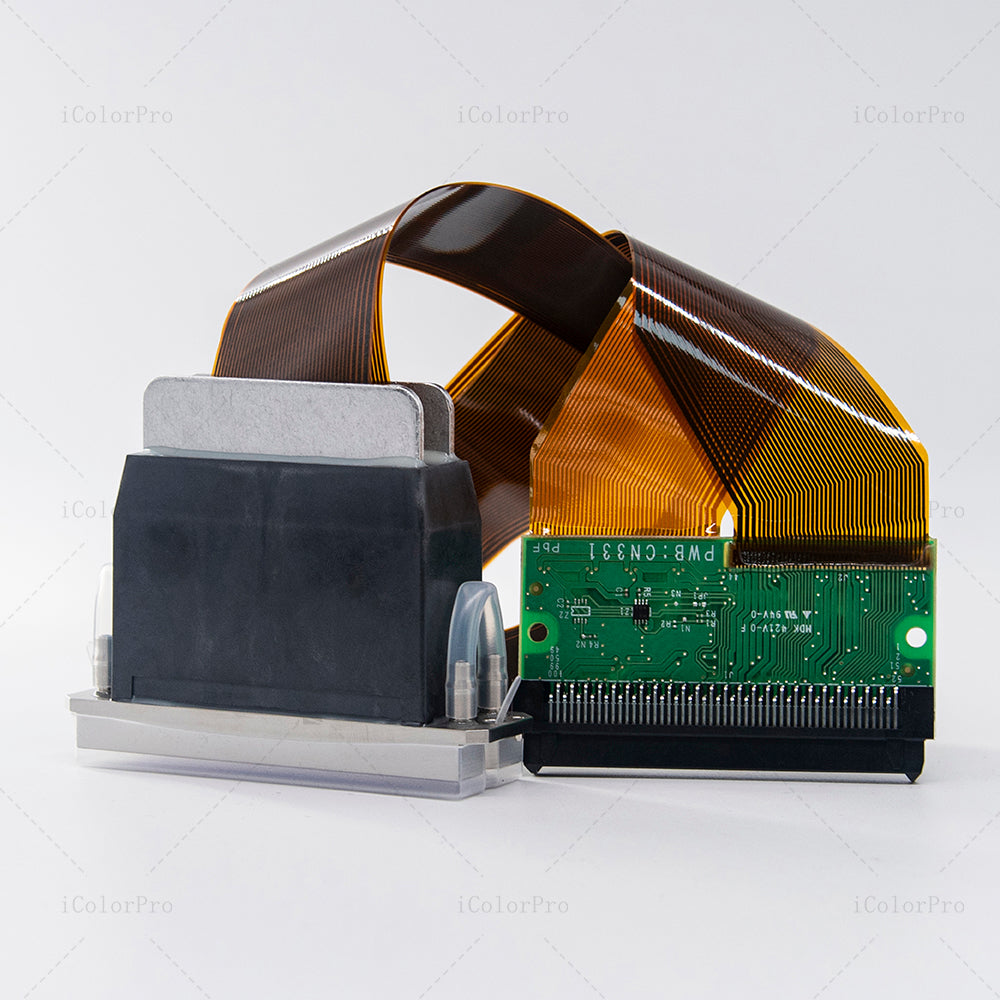
Gen5-Compatible Replacement Listing
The page uses an MH5420 reference. Confirm the exact supplied part number, cable configuration and machine fitment.
Review Gen5 Listing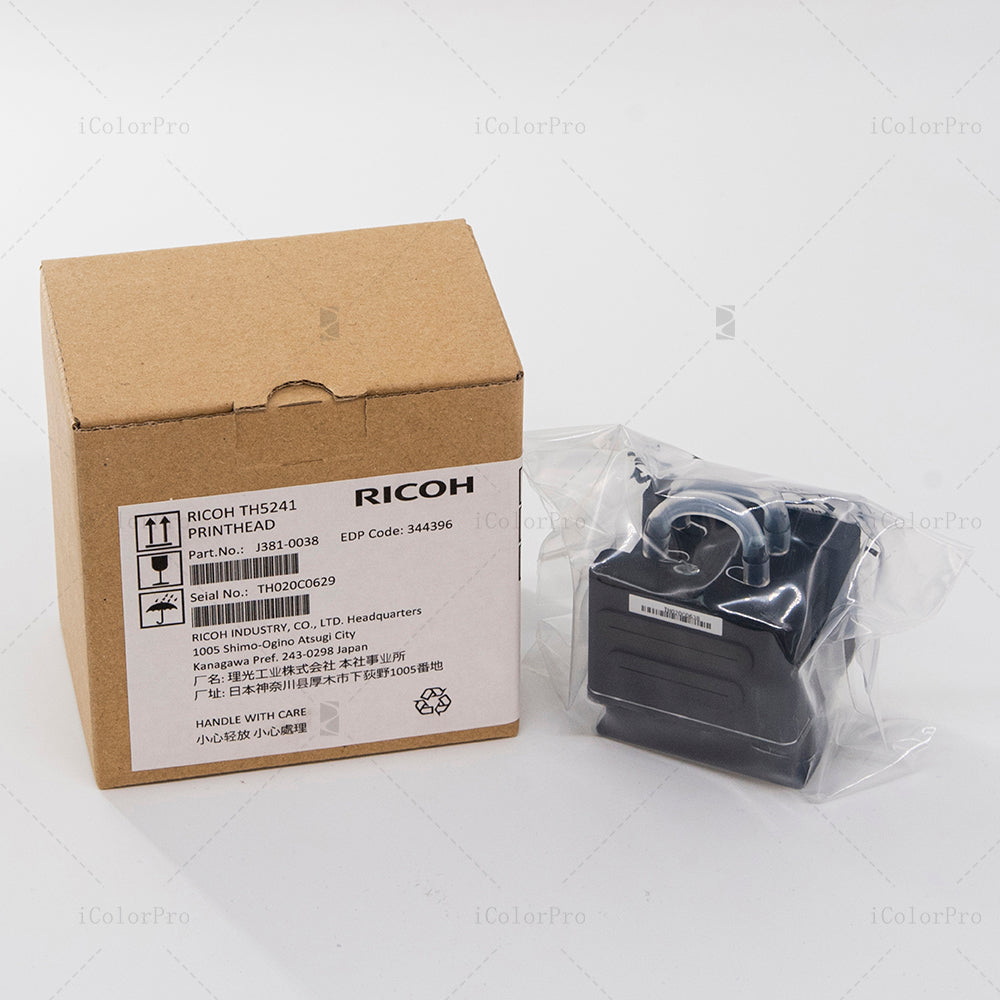
Gen5i-Compatible Replacement Listing
Gallery label: TH5241. Description reference: MH5421F family. Request current unit photos and resolve the model before ordering.
Review Gen5i Model DetailsSend the Full Identification Record
Contact UVINKPRO support with your printer model, head label, part number, connector and cable photos, head-board details, ink series and fault information. Request a written confirmation of the exact model, configuration, condition and included parts before placing an order.
Frequently Asked Questions
Is Gen5i a direct upgrade for a Gen5 printer?
Do not assume it is. A replacement must match the machine's approved head, electronics, mounting and ink system; a family name does not establish an upgrade path.
Are TH5241 and MH5421F the same head?
They are different manufacturer references with separate Ricoh documentation. If both appear in a sales listing, resolve the supplied model before payment.
Can I identify the correct head from 1,280 nozzles?
No. Multiple reference models have that count. Use the complete model and part number with the machine's compatibility requirements.
Does support for UV ink mean my existing UV ink is approved?
No. Confirm the exact ink series and operating setup for the specific head and printer. Do not change ink or cleaning fluid based on the broad chemistry category alone.
What if I only have a photo and the label cannot be read?
Provide the printer's parts reference, previous order details and clear connector, cable and mounting photos. Ask for identification before ordering; do not guess the code from the housing.
Reference and Supply Notes
Manufacturer pages and store listings checked October 10, 2026. Ricoh's documents describe the named reference models, not the identity or condition of an unverified replacement item. Resolve the stated listing discrepancy using current supply evidence.